Live, free through 25 March 2027

Search, images, music and research for your AI assistant.

Add one address to Claude, ChatGPT, Cursor or any MCP client and it gets sourced web answers, live facts, image generation from your own references, music and full research reports. Or try the models right here first.

The addressremote · http · no auth
Connect

Connect it to your assistant

Pick the one you use. It takes about a minute, and there is nothing to sign in to.

Add Venus in Claude

claude.ai and the Claude desktop app, on a paid plan.

  1. Open Settings, then Connectors.
  2. Choose Add custom connector. Name it Venus.
  3. Paste https://venusmcp.up.railway.app/mcp into the remote MCP URL field.
  4. If Claude says it could not tell how this server signs in, choose Continue anyway. Venus does not ask you to sign in.
  5. Start a new chat and ask it to use Venus.

The proof

Four references in. One image out.

Reality 1 takes up to four reference images along with the prompt and composes from them, so your assistant can work from what you show it, not just what you say. These are the real inputs and the real output.

  1. A red vintage Vespa parked on a cobbled Italian street
    i.A Vespa
  2. A road winding through snowy mountains at sunrise
    ii.A mountain road
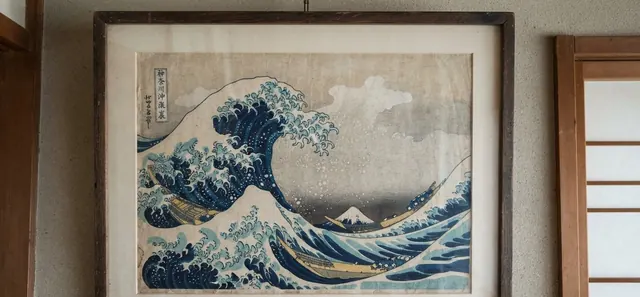
  3. A framed Hokusai woodblock print of a great wave
    iii.A Hokusai print
  4. A golden retriever in flying goggles sitting in an open cockpit
    iv.A dog in goggles
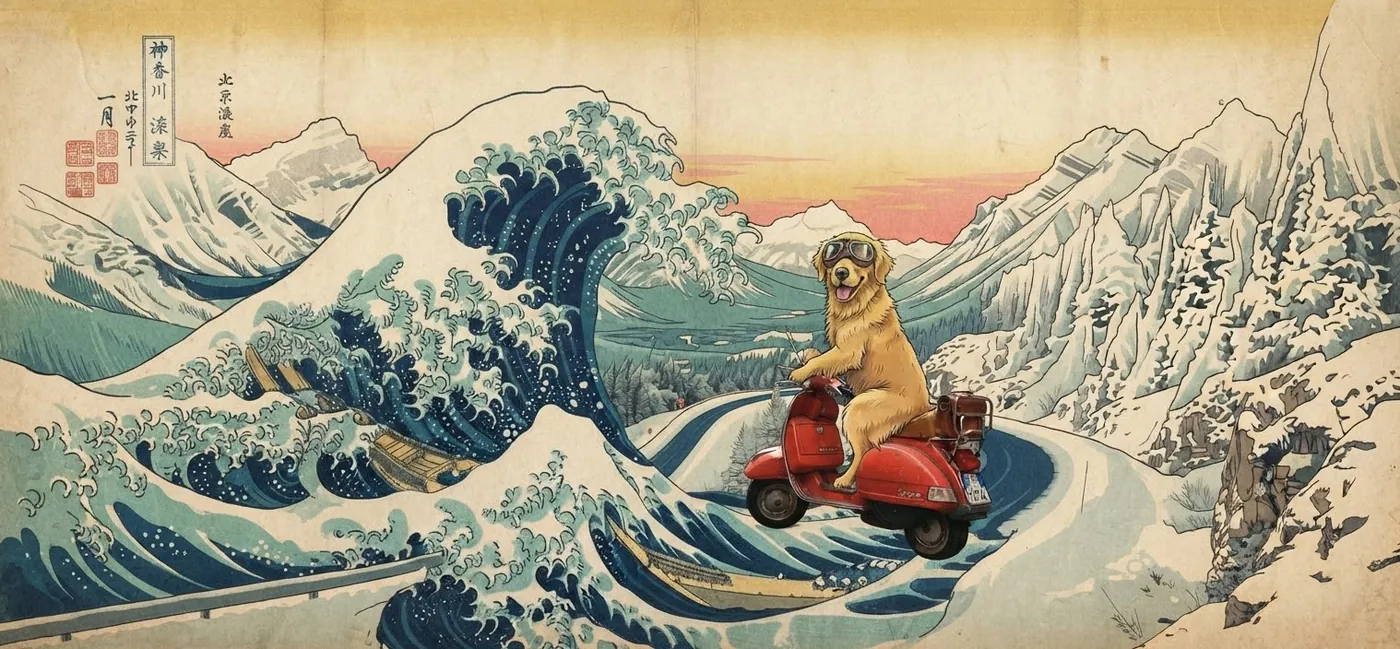
A woodblock-style scene of a dog in goggles riding a red Vespa along a snowy mountain road beside a great wave
Plate I · Reality 1

The prompt named nothing in the pictures: “the animal from the fourth image riding the main subject of the first along the road from the second, in the style of the third.” References can be links or data URLs, and generated files are kept for about a day.

The same red Vespa parked at the edge of a snowy mountain road at sunrise
With two references the Vespa simply lands on the road. See how to prompt each model →
The tools

What your assistant gets

Ten tools behind one connection. Your assistant picks the right one for each question; the mono names are what it calls.

  1. Venus Search

    venus_search

    Grounded answers with the sources they came from, for anything past a training cutoff.One model, Pro 1

  2. Based

    venus_based

    Our faster answer to searching for AI models. Straight from Google's SEO indexing, so you can trust the results.

  3. Digest 1

    venus_digest

    The news, digested. Give it a region and the topics you care about, and it comes back with a short, numbered briefing of the last day or two, every item sourced.World, local, one section per topic, and a wildcard

  4. Reality 1

    venus_image

    Our best image generation tool ever. Quality is in the details.Up to four reference images per call

  5. Reality 1 Pro

    venus_image_pro

    Quality is in the details, so Reality makes more details (with your help, of course).

  6. Reality 1 Lightning

    venus_image_lightning

    Impatient, and have an idea you need to jot down? Lightning's got you.

  7. Design 1

    venus_design

    Stuck on a UI? We've been there (ask the old version of this site). Calibrated quality for your products.

  8. Tempo 1

    venus_music

    Because we can't stop making the best AI, we made a music generator.One track per IP address every 5 hours

  9. Scourer 1

    venus_deep_research

    It's like stalking your ex, but for facts and topics.

  10. Trail 1

    venus_trail_plan

    ADHD for AI, basically. Plan, iterate, and review ideas in real time with your assistant.